Session replay helps you reconstruct a past visit; live assistance helps a customer finish a task now. Replay in a monitoring tool supports an engineering investigation, but it does not by itself keep the support conversation and handoff together.
Choose a workflow based on what you need to do with the visit. For a bug investigation, look for errors and the actions that led to them. For support, look for a way to connect those details to the customer’s conversation and assign the next step.
What an agent can learn from a replay
Real user monitoring (RUM) collects information about actual visits, including page activity, errors and performance. Replay adds visual context to that investigation; live assistance is a separate step that requires the customer's permission.
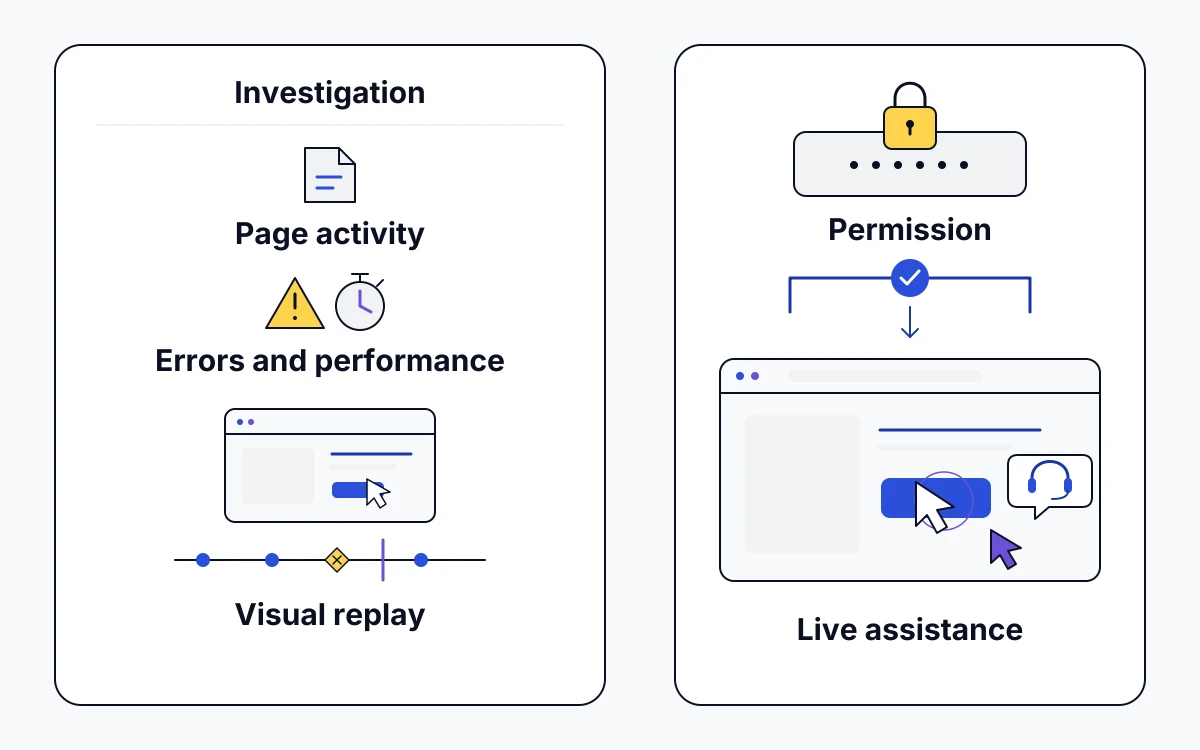
Replay helps engineers look into bugs and gives you details for support conversations. An engineer may look at a failed request to investigate a bug. You may review the same moment to see why the customer could not finish checkout. That can help you decide what to say next.
An agent can say: “I can see where checkout stopped. Are you still on that page, or have you moved on?”
In coview, recorded sessions, live assistance, chat and tickets share one timeline, with password and card fields hidden in replay and live views.
When watching helps more than another screenshot
Choose based on what you need: the steps before a problem, help with the next step, or a direct answer. Use these rules during your shift:
- Review earlier actions when the sequence is unclear. If the customer says checkout “just stopped,” look at how they reached that point. A screenshot shows the current page; earlier actions can help you find the step that needs attention.
- Offer live assistance when the customer needs help proceeding. Once you understand where they are stuck, more review may not help them finish. Ask: “Would you like me to help you through the next step?”
- Skip replay when you can answer directly. For questions about accepted payment methods or a return policy, consult the relevant policy and explain what applies. You can answer these without inspecting customer activity.
Get permission and prepare the handoff
For the stalled checkout, keep the customer’s next action and the engineer’s investigation connected through these steps:
- Find the visit before promising a review, and assign an agent to update the customer. Check how long the recording will remain available so the reviewer can use it before it expires.
- Explain the live help you want to offer and ask permission. You might say: “May I highlight the next checkout step on your page?” Tell the customer how to stop assistance before it begins. Ask separately before requesting control to click or type, and leave sensitive fields to the customer.
- If checkout still needs investigation, create a ticket with the session, error details and steps that led to the problem. Record what remains unresolved and who will investigate it. Keep the ticket linked to the conversation so the next person can see what the customer has already tried.
In coview, Show me and Take over require separate permissions, Esc ends assistance, and your plan sets recording limits, storage duration and live-assistance allowances.
You can tell the customer: “Checkout still needs investigation. I’ve attached the steps and error details to your ticket, and I’ll update you after the engineer reviews it.”

We build coview: session replay, co-browsing, chat and calls for support teams. Questions about a post? Ask us from the contact page.