To outsource live chat support, hire an outside team to answer customer conversations. Agree on coverage hours, required training, and service standards. Give the team a clear queue: the set of conversations they will handle. Name someone on your internal team to own escalations, or cases that need more help. Do this before handing over more support work. Outsourcing supplies agents; choosing support software is a separate decision.
Start by deciding which issues outside agents may resolve. That sets the scope for comparing providers and rules for protecting customer information during support. Before expanding the queue, plan how agents will pass conversations to your internal team. Include software costs for each agent’s access, called a seat, and for usage. Then run a small trial.
How external agents handle your customer conversations
External agents are people outside your company who answer customers in real time on your behalf. Customers type into the text chat on your website. Agents read those messages and reply with product details, help with problems, or answers to complaints.
The provider hires and trains agents, sets their schedules, and checks their work. Those staffing duties move outside your company. The conversations still concern your products and services.
The chat workspace is the software where agents read messages and reply. It is a separate part of the setup. When you compare proposals, separate the provider’s staffing duties from the software included or required. You need a budget and a way to manage the work for both. That remains true when another company supplies the people answering waiting chats.
When outsourcing helps—and what to keep in-house
Outsource conversations when you have a proven staffing need and agents with the right skills. Keep decisions in-house when outside agents lack the authority to make them.
- Night coverage: Use the number of inquiries each hour to decide whether to add overnight support. Offer round-the-clock support when customer demand calls for it.
- Peak periods: Outside agents can cover busy hours or seasonal spikes. First, confirm how the provider adds trained agents while meeting your service standards.
- Technical inquiries: Assign technical chats to agents who have shown they know the subject. Review their training and industry experience. Before they start taking chats, have them work through typical product questions to check their knowledge.
- Exceptions: Keep cases in-house when they go beyond what you’ve agreed the provider can decide. These include exceptions to refund rules or disputes about who owns an account. Outside agents can gather the customer’s request. The person responsible on your team makes the decision.
Choose a provider against a written support scope
Give every provider on your shortlist the same written brief so quotes cover the same work. Set your requirements before asking for proposals. That gives each provider your definition of acceptable service.
Include these items in the brief:
- Work covered: List the topics, languages, coverage hours, and expected chat volume. State which cases must stay with your internal team.
- Product training: State which policies and product information agents must learn. Name who supplies updates and explain how you will check that agents are ready.
- Brand voice: Provide approved example replies and wording for complaints, delays, and requests agents cannot approve.
- Who handles cases passed on: Name someone on your internal team to take over cases agents cannot handle. Define what agents must include when passing a conversation to that person.
- Service standards: Set targets for how quickly agents reply and how long they take to resolve cases. Include these targets and quality standards in the service level agreement (SLA), the agreement that sets service expectations. Define how each standard will be measured and reviewed.
Ask providers to quote for that work and explain how their pricing works. Each quote should state what work is included and what costs extra. You can then compare both the work covered and the price.
For each finalist, ask for relevant case studies and references you can verify. These should explain which support requests the provider handled and how its service quality was judged.
Before signing, ask the provider to show that it can work with your existing customer records and support tools. The demonstration should include a sample conversation passed from one team to another. Confirm what setup work is needed and who is responsible for it.
Give external agents a consent-based support workflow
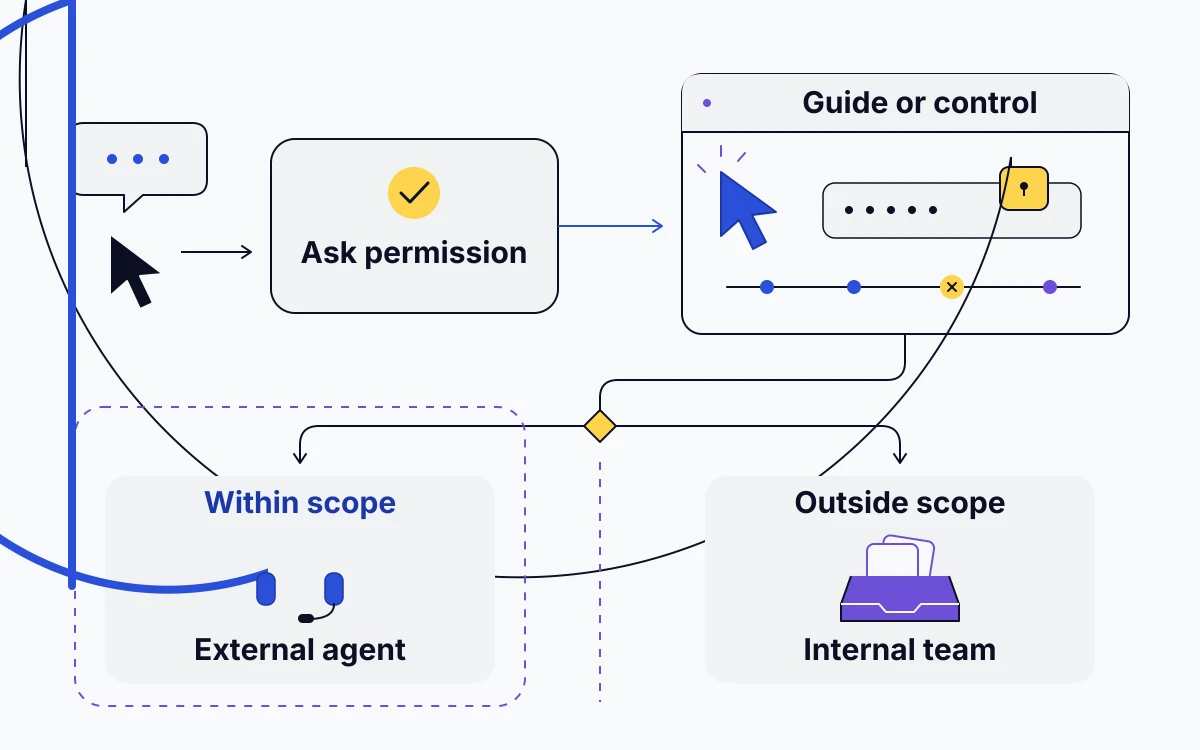
External agents should ask permission before guiding or controlling a customer’s page. They should hand off anything outside the work they are approved to handle. Customer consent does not expand what an agent may resolve.
Answer the chat
In coview, our support workspace, chats, session replay, co-browsing, calls, and tickets share one timeline. Session replay shows past visits; co-browsing lets agents help on a customer’s page. Tickets track issues that need more work. We do not provide a staffing service.
External agents should answer website chats with approved saved replies, adjusting the wording to the customer’s issue. Internal notes keep those details available to your team. The docs page “The chat widget” covers these chat tools.
Ask to guide the customer
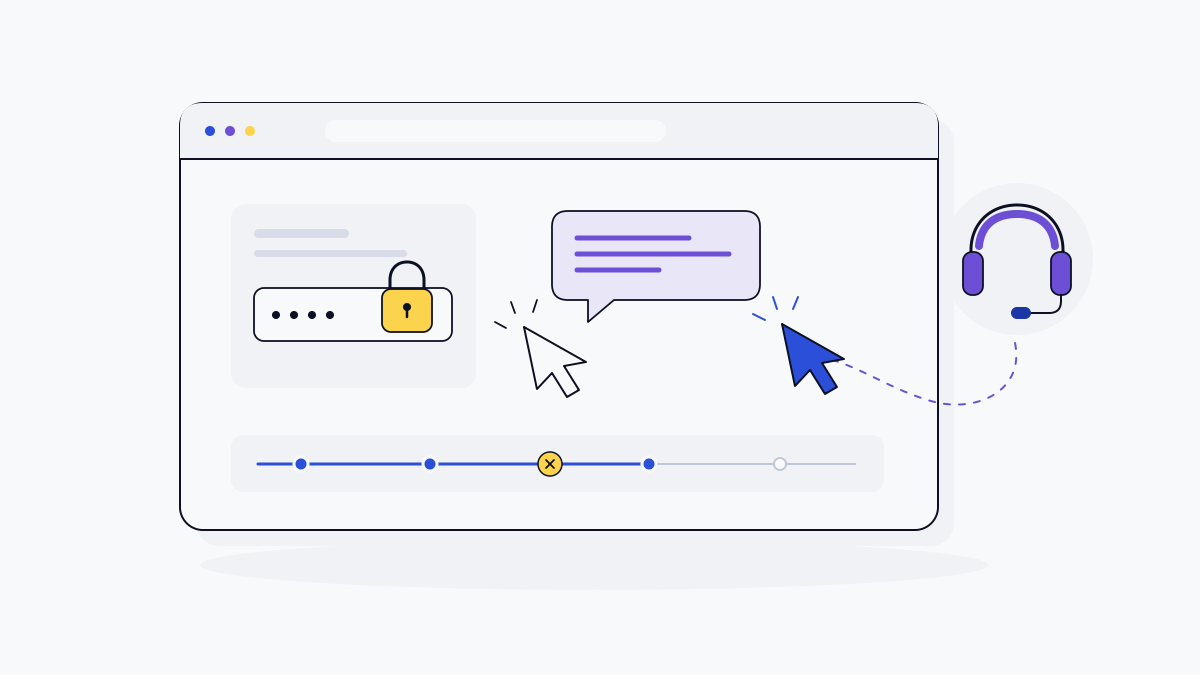
When the customer needs help finding the next step, the agent requests Show me. The agent then waits for approval.
“May I highlight the next step on your page?”
After approval, the agent can point, draw, highlight, and number steps on the customer’s page. The customer sees that guidance on their own screen and can end it with Esc. The docs page “Show me and Take over” covers both permission levels.
Request control only when necessary
If guidance is not enough, the agent requests Take over separately. The action must still be within the work the agent is approved to handle.
“May I click in this tab? Press Esc to stop.”
Approval permits clicking and typing only in that tab. Agents never type into password, card, bank, or tax-number fields.
Password and card fields are masked, or hidden, in the visitor’s browser. So is content marked data-coview-mask. This applies to replays and live sessions. That content never reaches the support workspace.
Hand off the unresolved issue
When a chat needs more time, turn it into a ticket. This keeps the session, errors, and steps attached. The handoff should state what remains unresolved. It should go to your internal escalation owner, the person responsible for issues agents cannot resolve. Follow the agreed SLA, or service-level agreement.
The docs page “Tickets, priorities and response targets” covers the next stage.
Budget for agent seats and support usage
Keep provider fees and software costs on separate budget lines. Before adding external agents, count the seats your internal and external teams need together, then check usage allowances.
| Limit | Free | Starter |
|---|---|---|
| Price | $0 | $19 per seat monthly, billed yearly |
| Seats | Up to 2 | Up to 10 |
| Recorded sessions monthly | 1,000 | 5,000 |
| Replay retention | 7 days | 30 days |
| Co-browsing sessions | 10 monthly | Unlimited |
| Included call minutes | — | 300 |
Choose a plan that covers both your team size and the support work you handle. A team can fit the seat limit and still need more co-browsing sessions. Replay retention also sets how long you have to review an outsourced agent’s handling of a case.
One recorded session means one person’s visit across pages. Bots and visits without a person do not count.
Call minutes count each person’s time on the call. When estimating usage, include time for both the customer and the agent, plus any internal specialist who joins a handoff.
Use a small pilot before expanding the queue
Expand only after a small trial shows that external agents can resolve the requests you assign. They must also be able to get help from your internal team. Pause expansion when requests sent to that team have no one responsible for them.
Before adding coverage, use this checklist:
- Review a sample of conversations for common customer needs and unclear answers. Look for requests outside the work you agreed to cover.
- Compare response times, customer satisfaction scores, and resolution rates with your service standards. Resolution rates measure how often requests get resolved. Read these measures together. Fast replies alone are not a reason to expand.
- Ask for customer feedback. Read it alongside conversation reviews to spot confusing instructions or problems that remain unsolved.
- Adjust training and staffing to fill gaps found in the trial. Review conversations after those changes before expanding the range of requests agents handle.
- Check requests waiting to pass to your internal team. Each needs a named person responsible for it and a clear next action.

We build coview: session replay, co-browsing, chat and calls for support teams. Questions about a post? Ask us from the contact page.